
Catalogue a church library from shelf photos and barcodes
Donated books of every age, filed by topic, with the donor’s name kept beside each gift. A volunteer with a phone can start on the first shelf today.
Try TitleEntry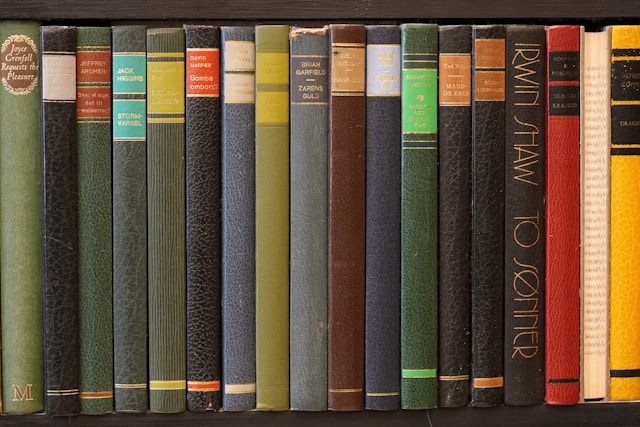
A church library grows one gift at a time: a box from a house clearance, a set of commentaries from a retired minister, children’s Bibles bought for Sunday school. TitleEntry turns those shelves into a catalogue you can search, with each book’s shelf, donor and condition recorded, built mostly from photographs.
Last updated: 7 November 2026
Three ways books go in
Shelf photos
Photograph a shelf and the AI reads every spine it can see, including older books printed long before barcodes. You check the list before anything is saved.
Barcodes
Newer books carry an ISBN. Scan it with a phone camera or a USB scanner, and the title, author, publisher and year fill in by themselves.
Title pages
Booklets, hymnals, study guides and printed sermons often have no barcode and a blank spine. Photograph the title page and the AI copies what is printed there.
How the spines are read is covered on the AI bookshelf scanner page, and older printings on cataloguing old books without an ISBN.
Cataloguing the library, shelf by shelf
Name the shelves
Set up shelves the way the room is arranged: Bible study, Devotional, Prayer, Biography, Missions, Children. Every book you add is filed on one of them.
Work a shelf at a time
Photograph a shelf, or up to twenty shelves in one batch, then review what was read. When some spines cannot be read, the scan says so, and a closer photo of that part picks them up.
Note where books came from
Record the donor and the date a book arrived, so a memorial gift stays connected to the family who gave it. Condition can be set on a whole selection of books in one step.
Keep it current
Scan new donations as they come in. Volunteers can search the catalogue from a phone by title or author and see which shelf a book is on.
What each book can carry
Beyond title, author, publisher and year, a church library catalogue has room for:
- Donor, for gifts and memorial collections
- Date acquired
- Condition, from new to poor
- Notes for inscriptions or bookplates
- Call number, if you use one
- Shelf, genre and language
Surplus copies and the annual count
Popular titles arrive again and again. Each repeat is counted as another copy of the same book, so one filter lists every title with extras when it is time for a book sale or a gift to another congregation. Here is how to find duplicate books and pass them on.
Once a year, a stock check compares the shelves with the catalogue, from shelf photos or barcodes, and lists the books nobody has seen. AI stocktaking explains the count, and library barcode labels covers copy barcodes and spine labels.
Running a different kind of small collection? See inventory for small libraries, or the home library catalogue for books at home.
Frequently asked questions
Decide on your shelves, then add the books shelf by shelf: photographs for older books and whole shelves, barcode scans for newer ones, title pages for booklets. Review each batch, save it, and the catalogue is ready to search.
Yes. The AI reads titles and authors from the spine, and from the title page when the spine is worn or blank. Where a printed edition can be matched, the details fill in; otherwise the book is saved with what was read, for you to complete.
Yes. Library accounts have a Donor field, along with the date a book was acquired, its condition and notes for an inscription or bookplate.
Yes. TitleEntry runs in the phone’s web browser and can be added to the home screen like an app. The phone camera scans barcodes and takes the shelf photos.
Yes. Give each copy its own barcode, then print barcode labels and spine labels with the call number as a PDF, for Letter and A4 label sheets.
Fill in the contact form with a few lines about your library. We set up a free trial account with credits so you can try it on a shelf of your own books.
Ready to start on the first shelf?
Tell us about your church library and we will set up an account for you to try.
Get in touch