
Get a complete book list from one photo
You have a shelf full of books. You need a list of what is on it. The old way takes hours. The new way takes a few seconds per shelf.
Try TitleEntry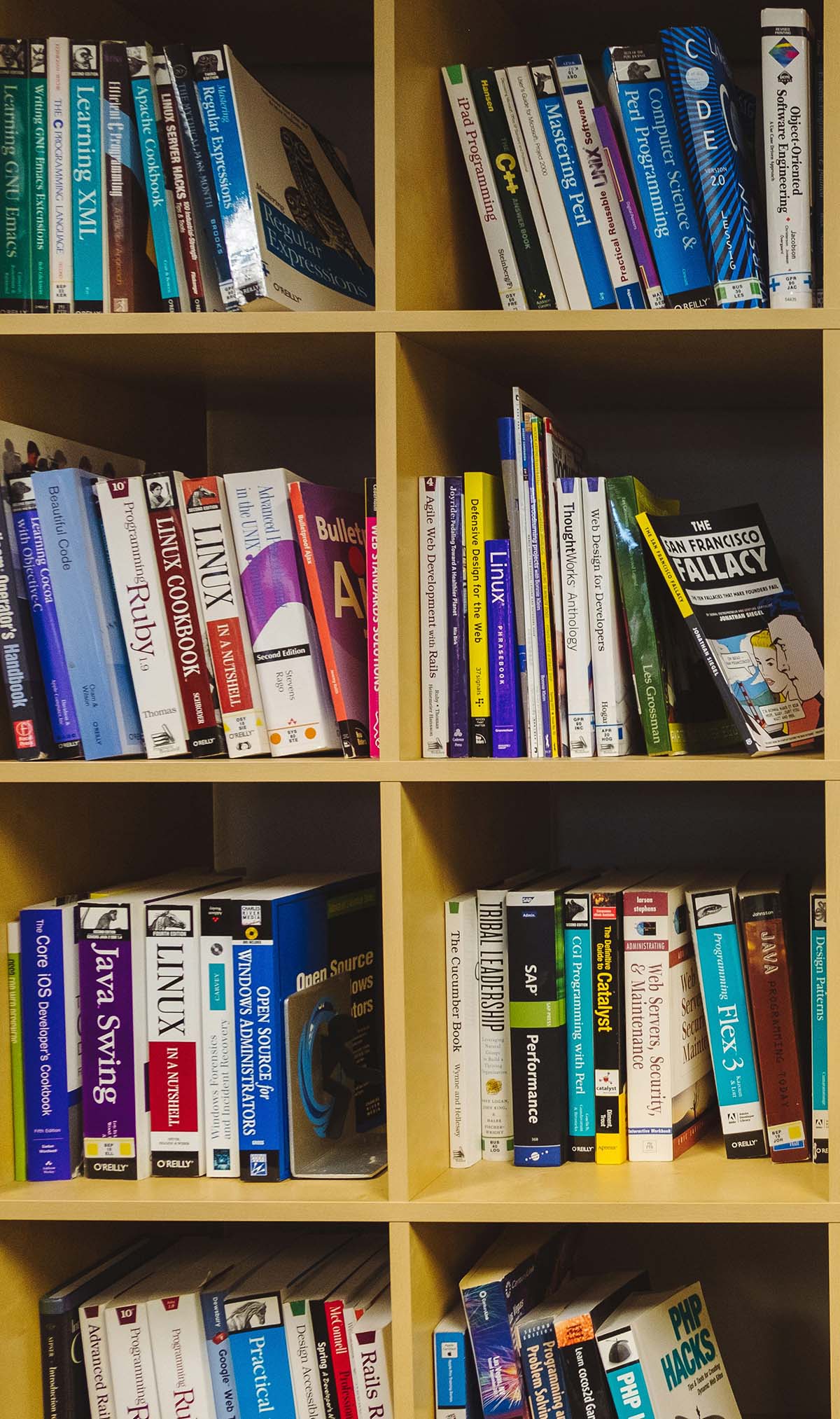
TitleEntry uses AI to read your bookshelf from a single photo. Point your phone camera at the shelf, take one shot, and every book spine gets identified automatically - title, author, ISBN, publisher, genre. No barcode scanner. No typing. No special hardware. Adding books one at a time instead? See the ISBN scanner.
How AI bookshelf scanning actually works
When you take a photo, the AI analyses every visible spine. It identifies text on each spine, title, author, publisher, and cross-references that against a large book database to return full metadata. High-confidence matches are confirmed automatically; lower-confidence ones get flagged so you can review and correct them before anything gets saved.
What makes it different from other scanning apps
Most scanning apps read one book at a time. TitleEntry reads the whole shelf.
Most scanning apps
Read one book at a time. They use your phone camera instead of a barcode gun, but the process is the same - book by book, spine by spine. A few offer shelf-level scanning, but stop there: a list of titles, no export, no metadata depth, no editing tools.
TitleEntry
Reads the entire shelf in one image. Full metadata for each book, inline editing before you save, duplicate detection against your existing library, and a one-click Excel export when you are ready.
Built for real shelves
Works without barcodes
Pre-1970 publications, worn or missing barcodes, foreign-language books - TitleEntry reads spine text directly, not barcodes, so it works on exactly the books where other tools give up.
Up to 300 books per photo
More than enough for most shelves in one shot. For longer or taller shelving units, take two overlapping photos and combine the sessions; duplicate detection flags any books that appear in both.
School librarians
Annual inventory moves significantly faster than with any barcode-based method. A collection that used to take a week can be done in a day or two.
Government and public libraries
Audit branch collections, catch missing books, and build digital records for shelves that have never had one.
University and institutional libraries
Catalogue departmental reference collections and reading rooms that sit outside the main library system and often have no catalogue at all.
Doing a full stocktake? See our guides to library inventory, school library inventory, and bookstore inventory.
What you get at the end
After a shelf scan, every identified book appears in a review list. You can:
- Edit any field - title, author, ISBN, genre - directly in the list
- Toggle off individual books you do not want to include
- Add a shelf label to the whole batch so you know where they came from
- Check for duplicates against your existing library before saving
- Export the session on its own, or merge it into your full catalogue and export everything together
The export is a standard .xlsx file. It opens in Excel, Google Sheets, Numbers, or any other spreadsheet tool without any conversion or formatting needed.
No app download. No hardware. No setup.
TitleEntry runs in your phone's browser. Open titleentry.com on your phone, sign in, and you are scanning within a minute. The camera access runs through your browser the same way any web app requests it.
Common questions
You photograph a shelf and the AI reads each spine in the image, extracting title and author from the printed text. Those readings are matched against book databases to fill in publisher, year, ISBN, page count and cover, and the result becomes a catalogue you can export.
Accuracy depends mostly on whether the titles are legible in the photograph. TitleEntry photographs one shelf row at a time at full resolution for that reason, scores every book it reads, and puts anything it is unsure about in a review list rather than saving it silently.
No. Reading the spine is what makes a shelf scan useful - it catalogues old stock, foreign-language titles and pre-ISBN books that a barcode scanner cannot help with at all.
They appear in a review list where you correct the title or author before saving. Those corrections are also distilled into lessons that apply to your library's future scans, so the same misreading is less likely to repeat.
Yes. TitleEntry finds the shelf rows in the photograph and reads each one separately at full resolution, because a whole bookcase scaled into a single image leaves the spines too small to read reliably.
See it for yourself
Get in touch and we will walk you through it based on your collection.
Get in touch