
Add books to your library with AI, barcode or not
Typing in a book takes a minute. Typing in a library takes months. Let the AI read the books and keep the checking for yourself.
Try TitleEntry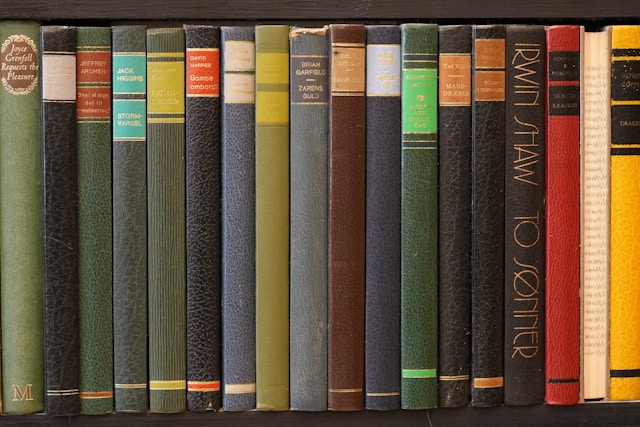
TitleEntry adds books to a catalogue from photos. The AI reads the spines on a shelf, or the title page of a book with no barcode, finds the full record for each one and puts it in a list for you to check. Nothing is saved until you have seen it.
Last updated: 26 October 2026
Three ways the AI adds a book
Shelf photos, in batches
Choose up to 20 shelf photos at once from your phone or computer. They are read two at a time while you watch, and every book from every photo lands in one review list and one save.
Title pages
For a book with no barcode and a spine too worn to read, photograph its title page. Add the back of it, the cover or the contents if they help: up to five photos make one book, and twenty books go in a batch.
The right edition
A title can have dozens of editions. The AI reads the publisher printed on the spine and picks the edition from that publisher. When no edition matches, the book is saved without an ISBN rather than with the wrong one.
From photo to catalogue in four steps
Photograph the books
Shelf photos for books standing on a shelf, title pages for books that need opening. iPhone photos work as they are.
The AI reads them
Each spine or title page is read for title, author and publisher, then looked up for the full record: ISBN, year, pages, language and cover. Each book gets a confidence score.
Check the list
Every book appears in a review list beside the photo it came from. Fix a title and the details are looked up again; untick anything you do not want. The AI never saves a book you have not seen.
Save to a shelf
Pick the shelf or room and save. Books you already have are caught as duplicates, and if you keep book lists, any book on them is flagged before it is saved.
Where AI does better than a barcode scanner
A barcode scanner is quick and exact when every book has a barcode. Most collections have plenty that do not. The AI routes are built for those:
- Books printed before ISBNs, or with no barcode at all
- Donation boxes and second-hand stock
- Foreign-language books, including Turkish and Arabic titles
- Reports, papers and pamphlets with a title page but no barcode
- Long series where only the volume title differs
- Shelves where taking every book down to scan it is the slow part
New stock with clean barcodes is still fastest with the ISBN scanner. Both go into the same catalogue.
Honest about what the AI gets wrong
A blurred spine, a title in a decorative font or a book lying flat can be misread. That is why every read carries a confidence score, uncertain ones are marked for review, and a corrected title looks the book up again instead of keeping details that belong to another book.
One catalogue afterwards
Books added by AI sit beside barcode scans and books typed by hand. Search, filter, move them between shelves, and export when you need a file. Libraries can also check them against book lists and count them in an AI shelf stock check.
How the shelf photo works in detail: the AI bookshelf scanner. Books and papers with no barcode: the title page scanner. Cataloguing a private collection? See the book collection catalogue guide. For schools, see school library inventory.
Frequently asked questions
Photograph the shelf, or the title page of a book with no barcode, in TitleEntry. The AI reads each book, looks up its full record and shows it in a review list. You check the list and save it to a shelf.
Yes. A shelf photo reads the spine and a title page photo reads the page itself, so neither needs a barcode. If no book database holds the title, it is saved with what was read, and a title page photo is kept as the book’s image.
The AI reads the publisher on the spine and chooses the edition from that publisher. If none of the editions it finds match, the book is saved without an ISBN instead of with another edition’s.
Yes. When you correct a misread title, TitleEntry turns the corrections into short notes that are applied to your future shelf scans, so the same misreading is less likely to repeat.
Yes. Scan a barcode, or type a title, search and pick the edition from the results. The AI routes are for the books where one at a time is too slow or no barcode exists.
Get in touch and we will set up an account for your library, shop or collection.